line
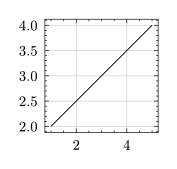
lq.line(start, end, stroke: stroke(), label: none, tip: none, toe: none, clip: true, z-index: 2)(source)Draws a line into the data area.
#lq.diagram(
  width: 3cm, height: 3cm,
  lq.line((1, 2), (5, 4))
)
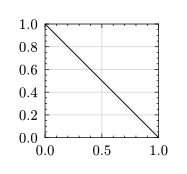
The coordinates can also be given relative to the data area
(0% means at the very left/top and 100% at the very right/bottom)
#lq.diagram(
  width: 3cm, height: 3cm,
  lq.line((0%, 0%), (100%, 100%))
)
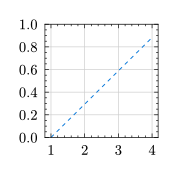
or mixed between relative, absolute and data values.
#lq.diagram(
  width: 3cm, height: 3cm,
  lq.line(
    stroke: (paint: blue, dash: "dashed"),
    (1, 100%), (4, 10pt)
  )
)
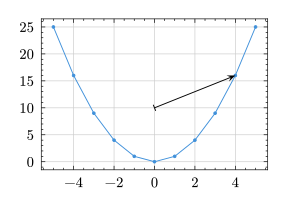
Arrow tips and tails can be added to a line through the arguments tip and toe.
This is supported via the Typst package
tiptoe.
#import "@preview/tiptoe:0.4.0"
#let xs = lq.arange(-5, 6)

#lq.diagram(
  lq.plot(xs, xs.map(x => x*x)),
  lq.line(
    tip: tiptoe.stealth,
    toe: tiptoe.bar,
    (0, 10), (4, 16)
  )
)
start : array
The start point of the line. Coordinates can be given as
- data coordinates (
intorfloat), - or absolute coordinates from the top left corner of the data area
(
length), - or in percent relative to the data area (
ratio), - or a combination of the latter two (
relative), - or as
datetimeinstances.
end : array
The end point of the line, see line.start.
stroke : stroke default: stroke()
How to stroke the line.
label : content default: none
The legend label for this plot. See plot.label.
tip : none | tiptoe.mark default: none
Places an arrow tip on the line. This expects a mark as specified by the Tiptoe package.
toe : none | tiptoe.mark default: none
Places an arrow tail on the line. This expects a mark as specified by the Tiptoe package.
clip : bool default: true
Whether to clip the plot to the data area. See plot.clip.
z-index : int | float default: 2
Determines the position of this plot in the order of rendered diagram objects.
See plot.z-index.
